
Three jobs. Done well.
Every morning, you need to know three things: what to work on today, whether your projects are on schedule, and whether you're making money. Ovolo shows you all three.
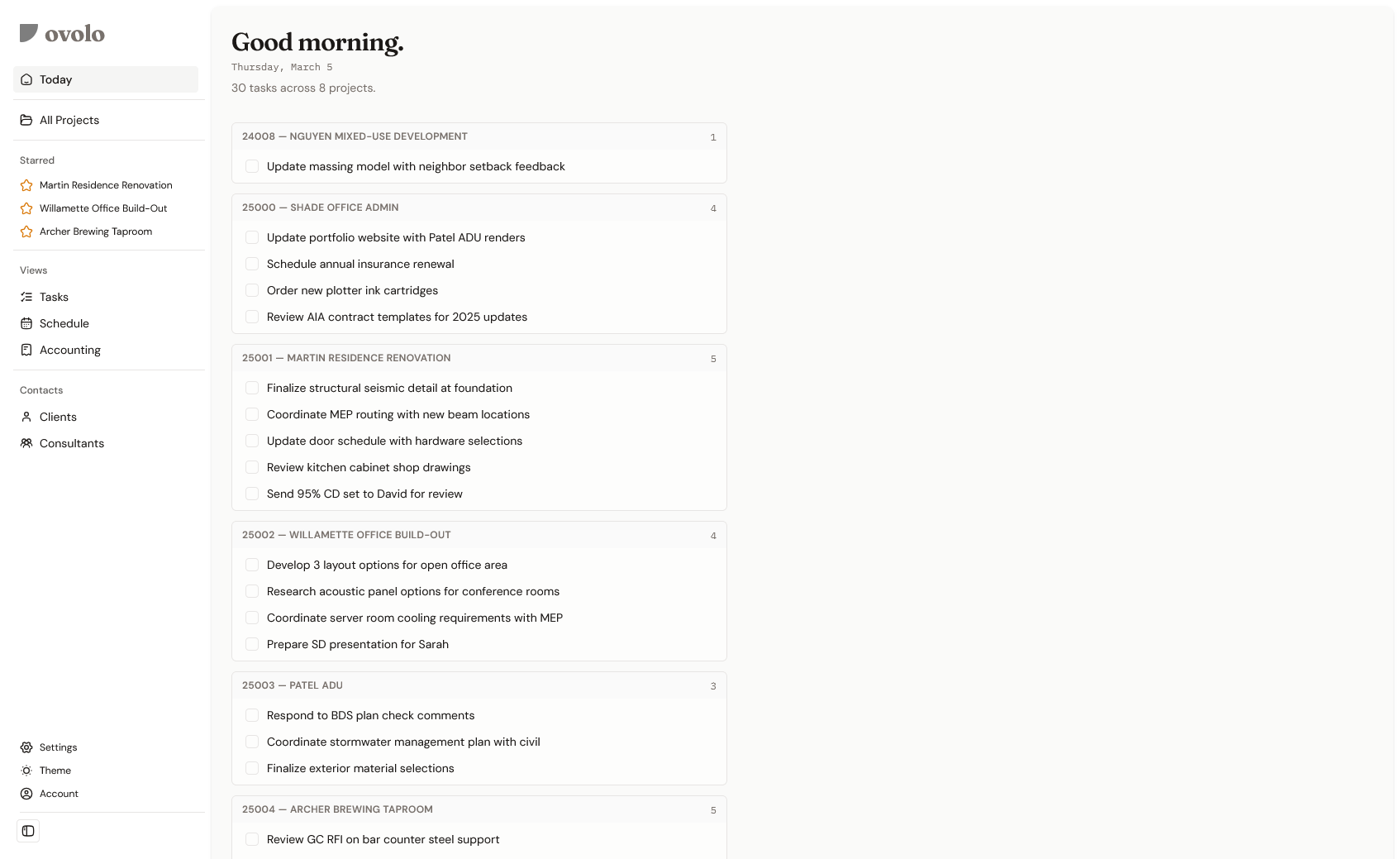
Good morning. Here’s your practice.
30 tasks across 8 projects. Grouped by project, ready to check off. This is what you see when you open Ovolo — not a dashboard you have to build, not a notification feed you have to parse. Just today’s work, laid out clearly.
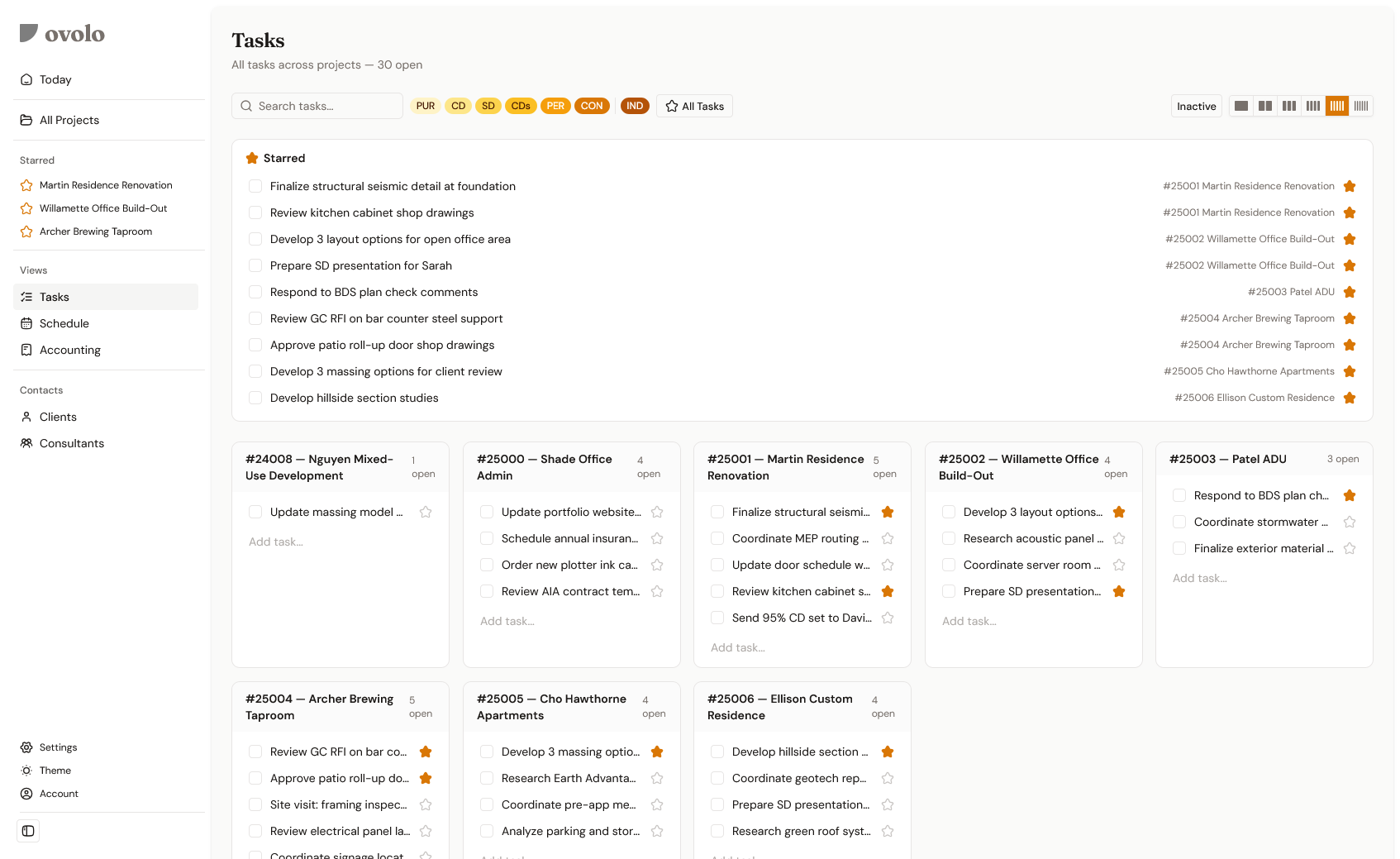
All your tasks. All your projects. One screen.
Every open task, grouped by project. Star the ones you need to get to today — they collect at the top. Filter by phase when you need to focus. For the simplified version, there’s Today.
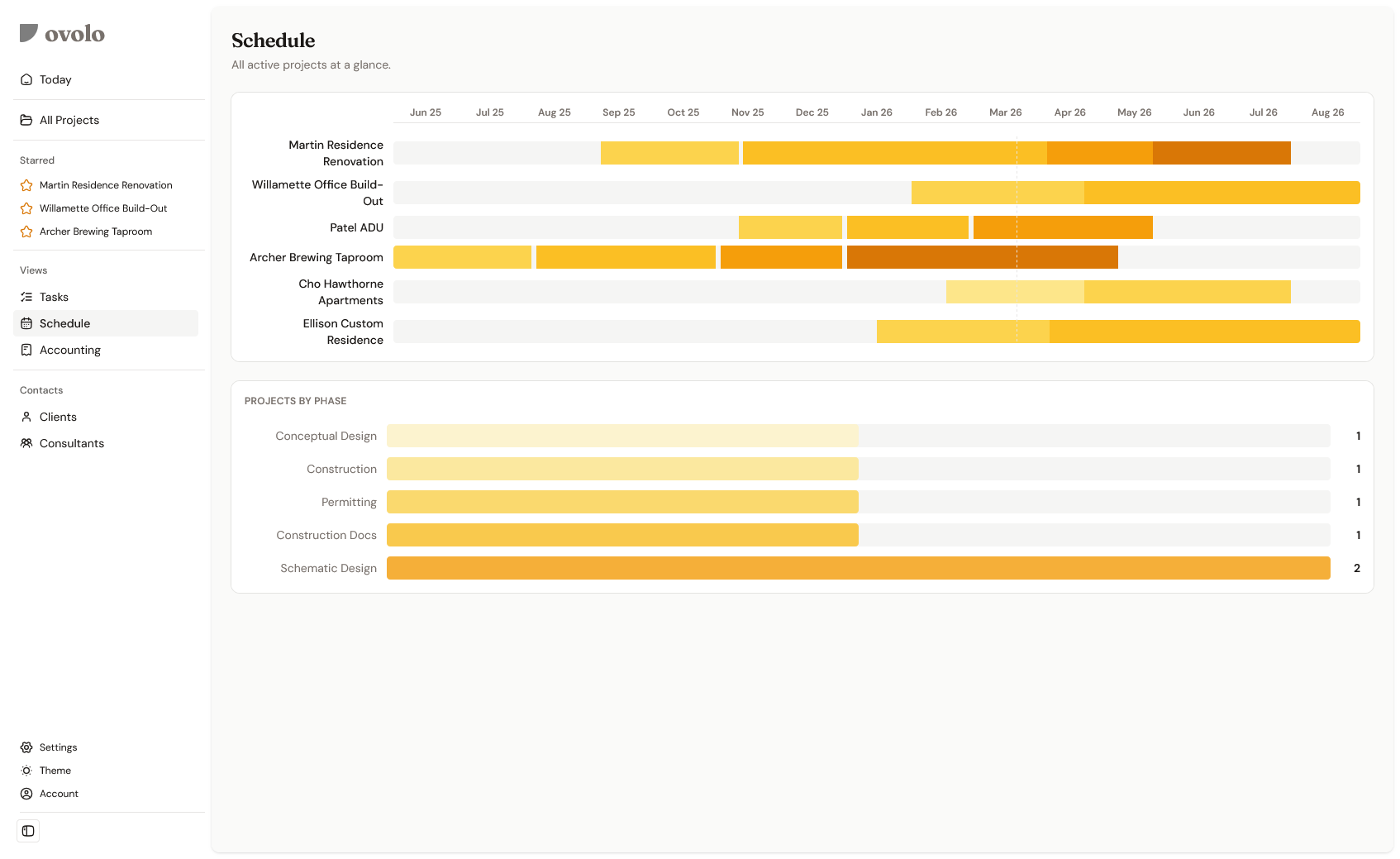
Every project. Every phase. One screen.
See where your schedule stands — and what’s coming next. Two projects in Schematic Design means your CD workload is around the corner. Six active projects across five phases, and you can see the shape of your whole year without opening a spreadsheet.
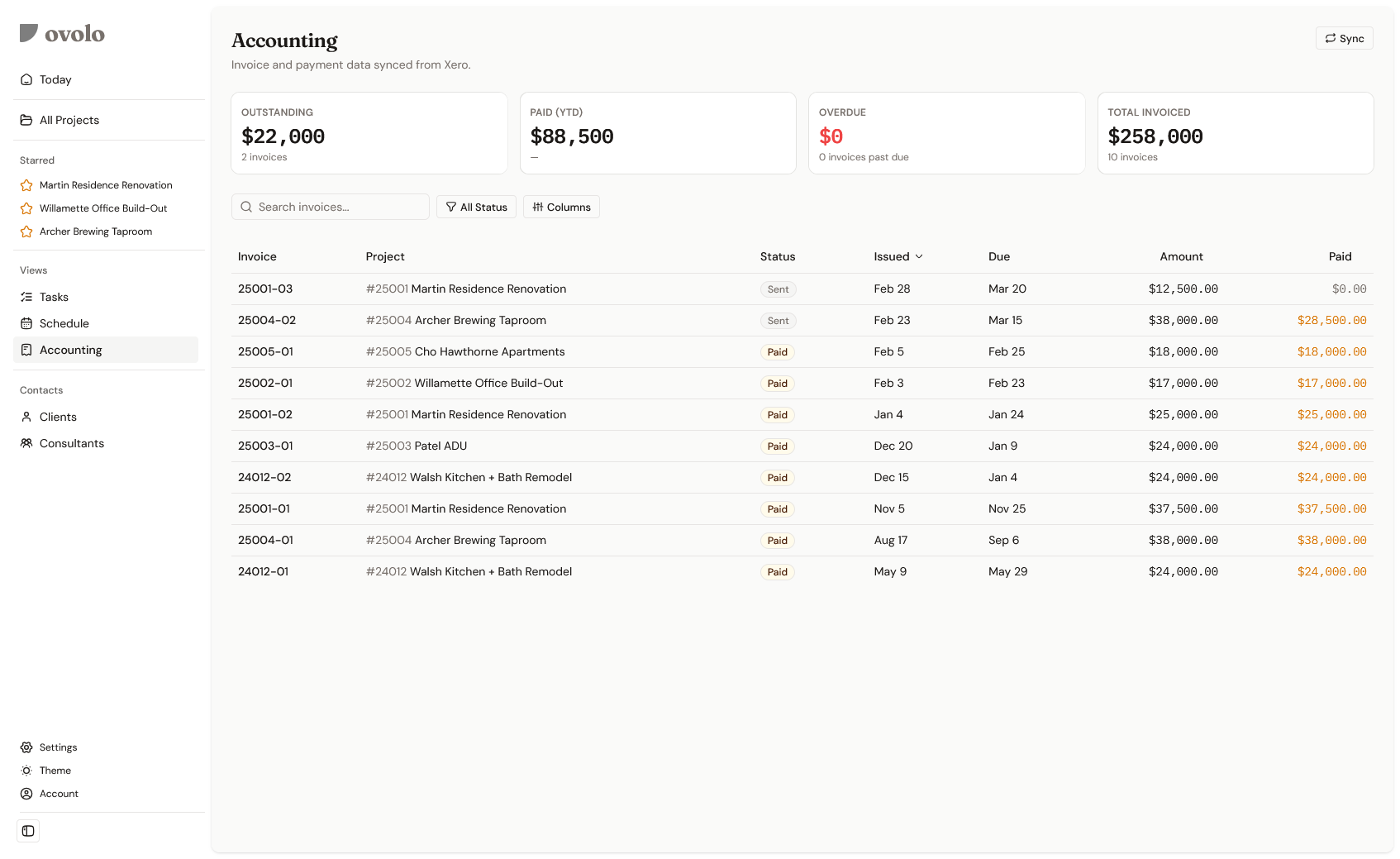
Your invoices. Already synced.
Ovolo pulls your invoice data — outstanding, paid, overdue — and ties every invoice to a project. No double-entry. No reconciling spreadsheets. You’ve already done the work in your accounting software. Now see it in the context of your practice.
Zoom in. Pick any project.
Everything you see at the firm level — tasks, schedule, money — lives inside every project too. Same structure. Same clarity.
Join the waitlistOne project. The whole picture.
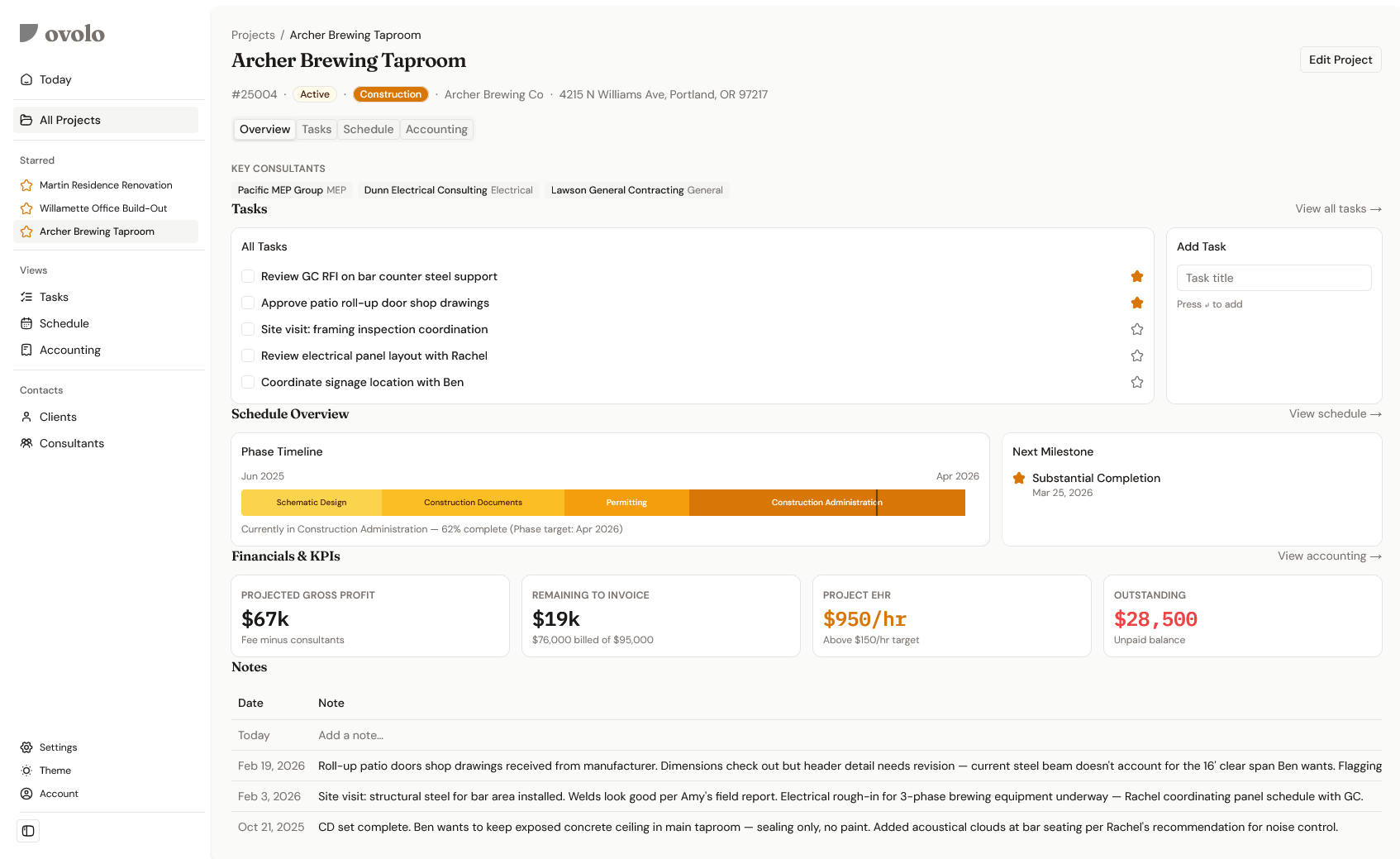
Tasks, schedule, financials, consultants, notes — everything about one project on one screen. You’re not clicking through tabs to find out how much is left to invoice or who your structural engineer is. It’s all right there. The way you’d lay it out if you built it yourself.
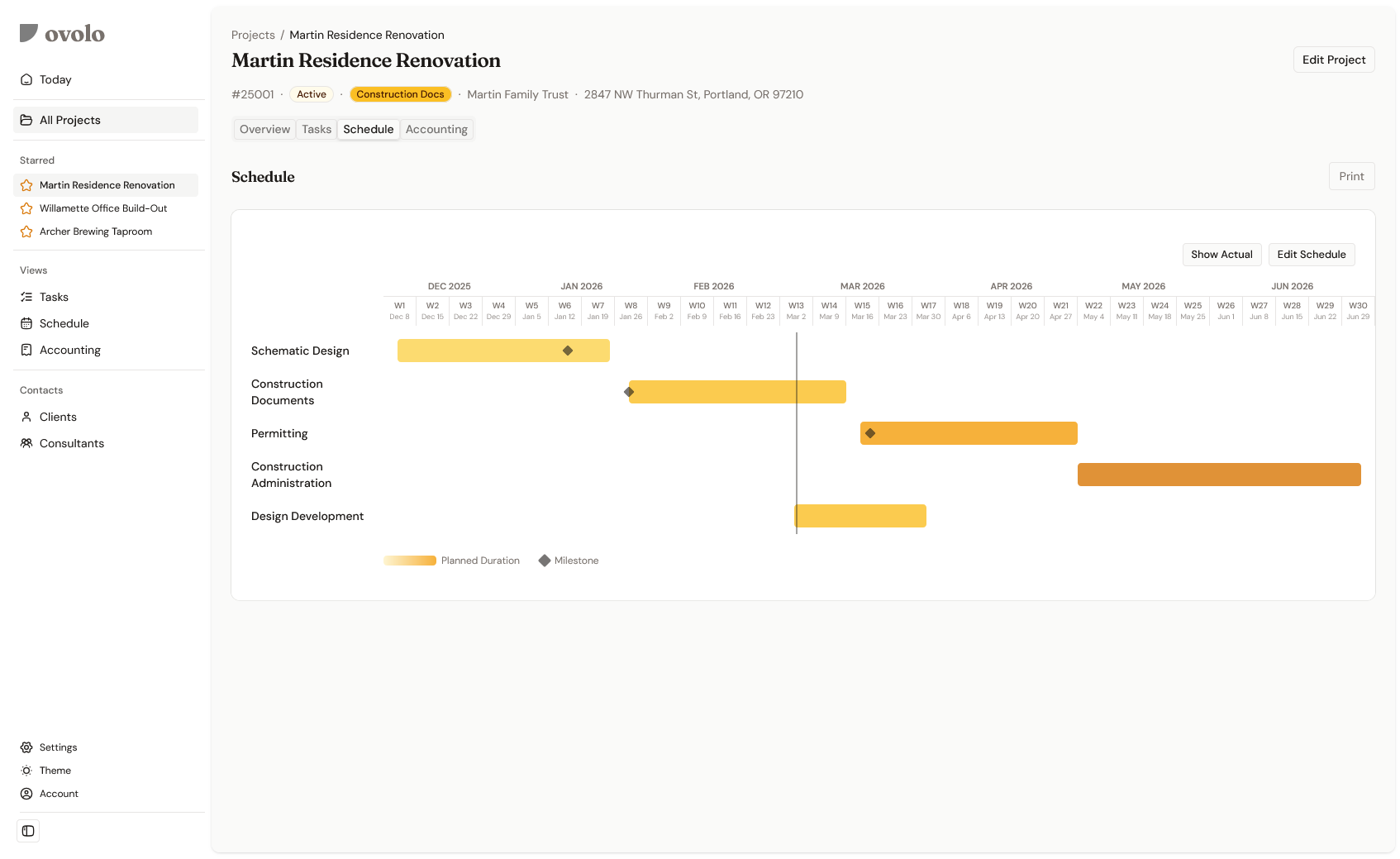
Phases, milestones, and a print button.
Each project gets its own schedule — phases as Gantt bars, milestones marked, actual progress tracked alongside the plan. When the client asks “where are we?”, you already know. And when they want it on paper, hit Print.
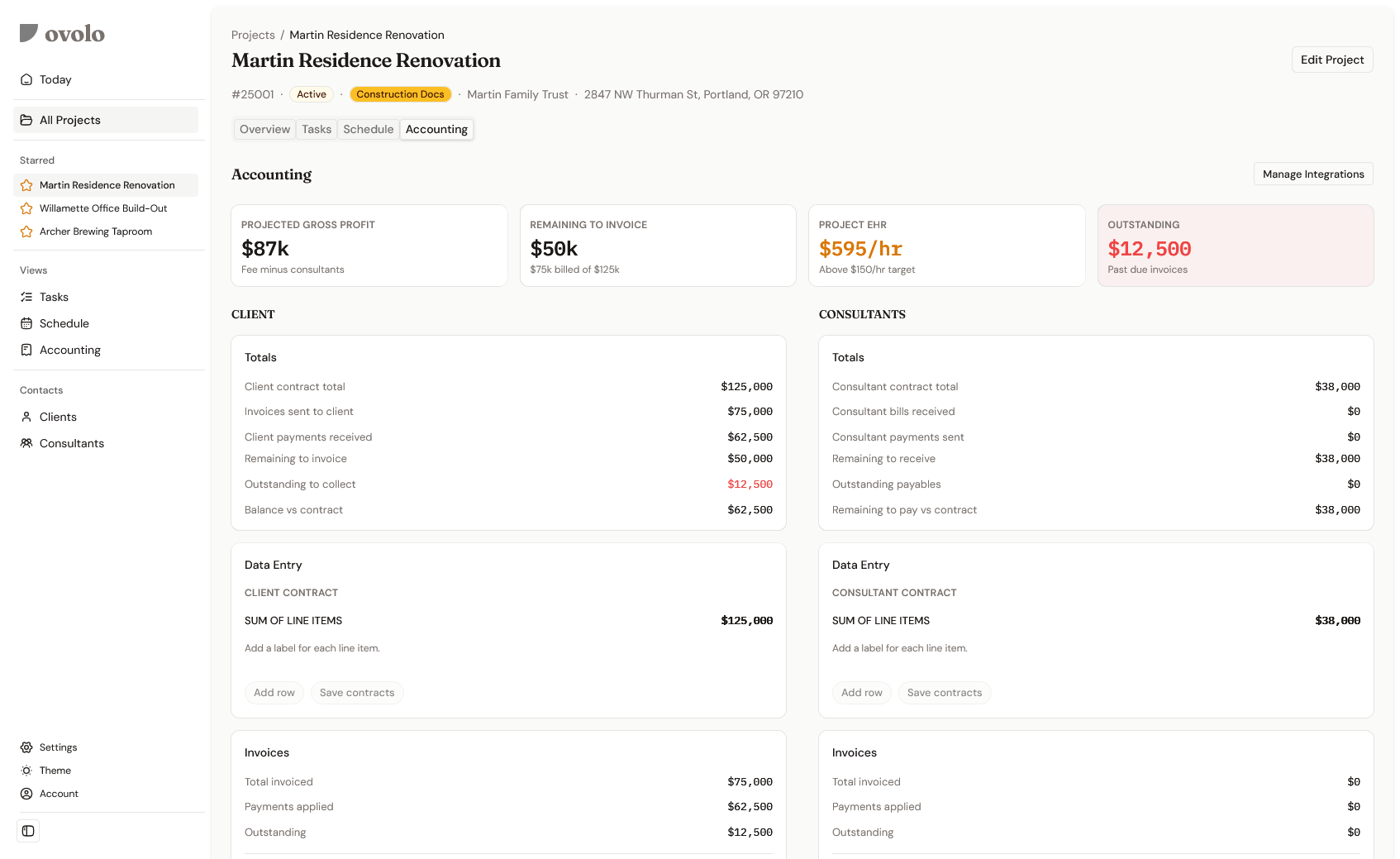
Are you making money on this project?
Client contract on the left. Consultant costs on the right. Projected gross profit, effective hourly rate, remaining to invoice, outstanding receivables — all in one place. Most architects don’t see these numbers until tax season. With Ovolo, you see them on every project, in real time.
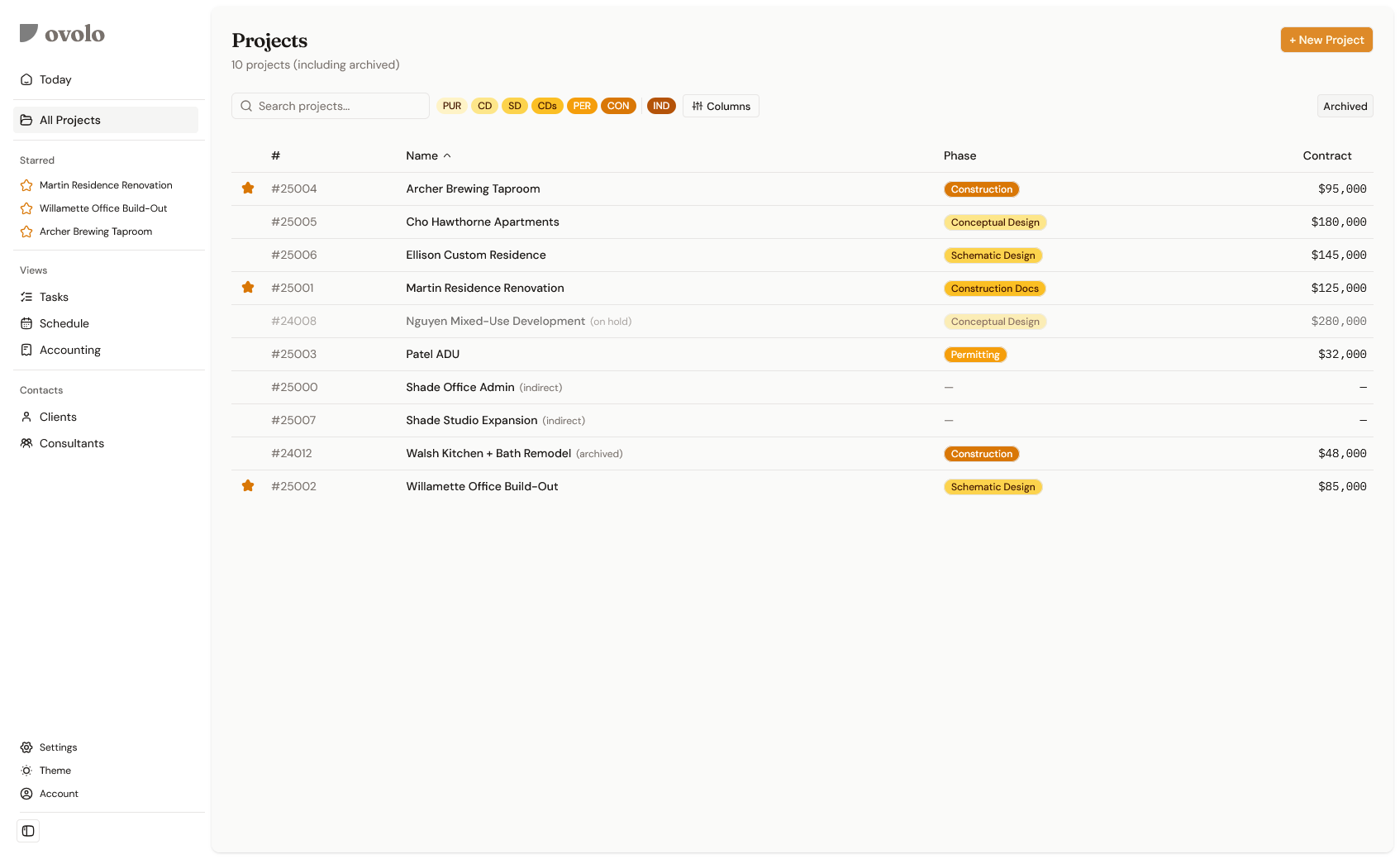
Every project. One list.
Phase, contract value, status — at a glance. Starred projects rise to the top. Archived projects stay visible until you’re ready to let go. This is the bird’s-eye view of your practice, without the spreadsheet.
Use whatever you already use.
Ovolo connects to the tools you're already running. Your time tracking data powers your effective hourly rate. Your accounting data powers invoicing and profitability. No migration. No switching. Just connect and go.
Built on Nango — 700+ API integrations, with new ones added monthly.
Interested?
Sign up for the waitlist to get early access.